
Tabscanner API v2
Upload a photo of a receipt and get back structured JSON: merchant, date, totals, taxes, tip, payment method and every line item. A REST API with standard HTTP status codes, problem-details errors and safe retries.
Introduction
Tabscanner reads receipts. You send an image of a point-of-sale receipt or an invoice and receive a JSON object describing what is printed on it. Extraction combines layout-aware OCR with region-specific rules, and you can choose one of the Tabscanner models for the hardest documents.
How it works
- Upload.
POST /v2/receiptswith the image asmultipart/form-data. The API queues it and immediately answers202 Acceptedwith atoken. - Poll.
GET /v2/receipts/{token}untilstatusisdone, waiting the number of seconds in theRetry-Afterheader between calls. Standard processing takes a few seconds. - Use the data.
resultcontains the merchant, date, amounts, confidences and line items. Store what you need: uploads are deleted after the retention period.
Ground rules
- Server-side only. Your API key spends your credit. Call the API from your backend, never from a mobile app or browser.
- HTTPS only, at
https://api3.tabscanner.com. - Trust the HTTP status.
2xxmeans success,4xxmeans fix the request,5xxmeans retry later. Every error has a JSON body with a stablecode. See Errors. - Ignore fields you don't know. New fields are added without notice; see Versioning.
Getting an API key
Sign up at dashboard.tabscanner.com. Your key is shown under API details. Each accepted upload uses one credit; everything else is free.
- Base URL
https://api3.tabscanner.com- Auth
Authorization: Bearer <key>- Upload
multipart/form-data, JPEG or PNG- Responses
- JSON, standard HTTP status codes
- Errors
application/problem+json(RFC 9457)- Retries
Idempotency-Keyheader- Spec
- openapi.yaml · openapi.json · result.schema.json · llms.txt
Quickstart
The program on the right is the complete flow: upload, poll, print. Pick your language, put your key in TABSCANNER_API_KEY, and run it against a receipt photo.
- Export your key:
export TABSCANNER_API_KEY=your-key - Save the sample next to a receipt image called
receipt.jpg - Run it. After a few seconds it prints the merchant and the total.
Every sample on this page is a real file from the examples folder of this site, and each one is run against the API by an automated test before the docs are published. Samples read the base URL from TABSCANNER_API_URL only so the tests can point them at a test server; you can delete that line.
It uploads the image with region=us and a fresh Idempotency-Key, expects 202, then polls the result, sleeping for Retry-After seconds between calls, until status is done or failed. Any other HTTP status is printed with its error code and detail.
Set region to the two-letter country code of your receipts. It is optional but noticeably improves date, number and merchant extraction. See Regions and locales.
#!/usr/bin/env bash
# Full flow: upload a receipt, poll until the result is ready, print establishment and total.
# Needs curl and jq. Usage: TABSCANNER_API_KEY=your-key ./scan.sh receipt.jpg
set -euo pipefail
API_URL="${TABSCANNER_API_URL:-https://api3.tabscanner.com}"
IMAGE="${1:-receipt.jpg}"
AUTH="Authorization: Bearer ${TABSCANNER_API_KEY:?set TABSCANNER_API_KEY}"

# 1. Upload. 202 means accepted; anything else is an error described by the JSON body.
#    The Idempotency-Key makes it safe to resend this exact request after a network error.
upload=$(curl -sS -w '\n%{http_code}' "$API_URL/v2/receipts" \
  -H "$AUTH" -H "Idempotency-Key: $(uuidgen)" \
  -F "file=@$IMAGE" -F "region=us")
status=$(tail -n1 <<<"$upload"); body=$(sed '$d' <<<"$upload")
if [ "$status" != 202 ]; then
  echo "Upload failed: $status $(jq -r '.code + ": " + (.detail // .title)' <<<"$body")" >&2; exit 1
fi
token=$(jq -r .token <<<"$body")

# 2. Poll until done or failed, waiting as long as Retry-After says between calls.
deadline=$((SECONDS + 120))
while :; do
  headers=$(mktemp)
  body=$(curl -sS -D "$headers" -w '\n%{http_code}' "$API_URL/v2/receipts/$token" -H "$AUTH")
  status=$(tail -n1 <<<"$body"); body=$(sed '$d' <<<"$body")
  wait=$(awk -F': ' 'tolower($1)=="retry-after" {print $2+0}' "$headers"); rm -f "$headers"
  if [ "$status" != 200 ]; then
    echo "Result failed: $status $(jq -r '.code + ": " + (.detail // .title)' <<<"$body")" >&2; exit 1
  fi
  case $(jq -r .status <<<"$body") in
    done) break ;;
    failed) echo "Processing failed: $(jq -r .error.detail <<<"$body")" >&2; exit 1 ;;
  esac
  [ "$SECONDS" -lt "$deadline" ] || { echo "Timed out waiting for the result" >&2; exit 1; }
  sleep "${wait:-2}"
done

# 3. Use the data.
jq -r '"Establishment: \(.result.establishment)", "Total: \(.result.total) \(.result.currency)"' <<<"$body"// Full flow: upload a receipt, poll until the result is ready, print establishment and total.
// Node 20 or newer, no packages. Usage: node scan.js receipt.jpg
import { randomUUID } from 'node:crypto';
import { openAsBlob } from 'node:fs';
import path from 'node:path';
const API_URL = process.env.TABSCANNER_API_URL ?? 'https://api3.tabscanner.com';
const AUTH = { Authorization: `Bearer ${process.env.TABSCANNER_API_KEY}` };
const TIMEOUT_MS = 120_000;
const imagePath = process.argv[2] ?? 'receipt.jpg';
const sleep = (seconds) => new Promise((resolve) => setTimeout(resolve, seconds * 1000));
// Errors are application/problem+json: { status, code, title, detail, requestId, ... }
async function fail(what, response) {
const problem = await response.json();
console.error(`${what} failed: ${response.status} ${problem.code}: ${problem.detail ?? problem.title}`);
process.exit(1);
}
// 1. Upload. 202 means accepted. The Idempotency-Key makes a resend after a network error safe.
const form = new FormData();
const mimeType = imagePath.toLowerCase().endsWith('.png') ? 'image/png' : 'image/jpeg';
form.append('file', await openAsBlob(imagePath, { type: mimeType }), path.basename(imagePath));
form.append('region', 'us'); // country of the receipt, improves accuracy
const upload = await fetch(`${API_URL}/v2/receipts`, {
method: 'POST',
headers: { ...AUTH, 'Idempotency-Key': randomUUID() },
body: form,
});
if (upload.status !== 202) await fail('Upload', upload);
const { token } = await upload.json();
// 2. Poll until done or failed, waiting as long as Retry-After says between calls.
const deadline = Date.now() + TIMEOUT_MS;
let receipt;
for (;;) {
const response = await fetch(`${API_URL}/v2/receipts/${token}`, { headers: AUTH });
if (response.status !== 200) await fail('Result', response);
receipt = await response.json();
if (receipt.status === 'done') break;
if (receipt.status === 'failed') {
console.error(`Processing failed: ${receipt.error.detail}`);
process.exit(1);
}
if (Date.now() > deadline) {
console.error('Timed out waiting for the result');
process.exit(1);
}
await sleep(Number(response.headers.get('retry-after') ?? 2));
}
// 3. Use the data.
console.log(`Establishment: ${receipt.result.establishment}`);
console.log(`Total: ${receipt.result.total} ${receipt.result.currency}`);"""Full flow: upload a receipt, poll until the result is ready, print establishment and total.
Python 3.9 or newer, needs `pip install requests`. Usage: python scan.py receipt.jpg
"""
import os
import sys
import time
import uuid
import requests
API_URL = os.environ.get("TABSCANNER_API_URL", "https://api3.tabscanner.com")
TIMEOUT_SECONDS = 120
image_path = sys.argv[1] if len(sys.argv) > 1 else "receipt.jpg"
session = requests.Session()
session.headers["Authorization"] = f"Bearer {os.environ['TABSCANNER_API_KEY']}"
def fail(what, response):
# Errors are application/problem+json: {status, code, title, detail, requestId, ...}
problem = response.json()
sys.exit(f"{what} failed: {response.status_code} {problem['code']}: {problem.get('detail', problem['title'])}")
# 1. Upload. 202 means accepted. The Idempotency-Key makes a resend after a network error safe.
mime_type = "image/png" if image_path.lower().endswith(".png") else "image/jpeg"
with open(image_path, "rb") as image:
upload = session.post(
f"{API_URL}/v2/receipts",
headers={"Idempotency-Key": str(uuid.uuid4())},
files={"file": (os.path.basename(image_path), image, mime_type)},
data={"region": "us"}, # country of the receipt, improves accuracy
timeout=60,
)
if upload.status_code != 202:
fail("Upload", upload)
token = upload.json()["token"]
# 2. Poll until done or failed, waiting as long as Retry-After says between calls.
deadline = time.monotonic() + TIMEOUT_SECONDS
while True:
response = session.get(f"{API_URL}/v2/receipts/{token}", timeout=30)
if response.status_code != 200:
fail("Result", response)
receipt = response.json()
if receipt["status"] == "done":
break
if receipt["status"] == "failed":
sys.exit(f"Processing failed: {receipt['error']['detail']}")
if time.monotonic() > deadline:
sys.exit("Timed out waiting for the result")
time.sleep(int(response.headers.get("Retry-After", "2")))
# 3. Use the data.
result = receipt["result"]
print(f"Establishment: {result['establishment']}")
print(f"Total: {result['total']} {result['currency']}")<?php
// Full flow: upload a receipt, poll until the result is ready, print establishment and total.
// PHP 8 with the curl extension. Usage: php scan.php receipt.jpg
$apiUrl = getenv('TABSCANNER_API_URL') ?: 'https://api3.tabscanner.com';
$auth = 'Authorization: Bearer ' . getenv('TABSCANNER_API_KEY');
$imagePath = $argv[1] ?? 'receipt.jpg';
// Returns [HTTP status, decoded JSON body, Retry-After seconds].
function call(string $url, array $headers, ?array $form = null): array
{
$retryAfter = 2;
$ch = curl_init($url);
curl_setopt_array($ch, [
CURLOPT_RETURNTRANSFER => true,
CURLOPT_HTTPHEADER => $headers,
CURLOPT_TIMEOUT => 60,
CURLOPT_HEADERFUNCTION => function ($ch, $line) use (&$retryAfter) {
if (stripos($line, 'retry-after:') === 0) {
$retryAfter = (int) trim(substr($line, 12));
}
return strlen($line);
},
]);
if ($form !== null) {
curl_setopt($ch, CURLOPT_POSTFIELDS, $form);
}
$body = curl_exec($ch);
if ($body === false) {
fwrite(STDERR, 'Request failed: ' . curl_error($ch) . "\n");
exit(1);
}
$status = curl_getinfo($ch, CURLINFO_RESPONSE_CODE);
return [$status, json_decode($body, true), $retryAfter];
}
// Errors are application/problem+json: {status, code, title, detail, requestId, ...}
function fail(string $what, int $status, array $problem): never
{
fwrite(STDERR, "$what failed: $status {$problem['code']}: " . ($problem['detail'] ?? $problem['title']) . "\n");
exit(1);
}
// 1. Upload. 202 means accepted. The Idempotency-Key makes a resend after a network error safe.
$mimeType = str_ends_with(strtolower($imagePath), '.png') ? 'image/png' : 'image/jpeg';
[$status, $upload] = call("$apiUrl/v2/receipts", [$auth, 'Idempotency-Key: ' . bin2hex(random_bytes(16))], [
'file' => new CURLFile($imagePath, $mimeType, basename($imagePath)),
'region' => 'us', // country of the receipt, improves accuracy
]);
if ($status !== 202) {
fail('Upload', $status, $upload);
}
// 2. Poll until done or failed, waiting as long as Retry-After says between calls.
$deadline = time() + 120;
while (true) {
[$status, $receipt, $retryAfter] = call("$apiUrl/v2/receipts/{$upload['token']}", [$auth]);
if ($status !== 200) {
fail('Result', $status, $receipt);
}
if ($receipt['status'] === 'done') {
break;
}
if ($receipt['status'] === 'failed') {
fwrite(STDERR, "Processing failed: {$receipt['error']['detail']}\n");
exit(1);
}
if (time() > $deadline) {
fwrite(STDERR, "Timed out waiting for the result\n");
exit(1);
}
sleep($retryAfter);
}
// 3. Use the data.
$result = $receipt['result'];
echo "Establishment: {$result['establishment']}\n";
echo "Total: {$result['total']} {$result['currency']}\n";# Full flow: upload a receipt, poll until the result is ready, print establishment and total.
# Ruby 3.0 or newer, standard library only. Usage: ruby scan.rb receipt.jpg
require 'json'
require 'net/http'
require 'securerandom'
API_URL = ENV.fetch('TABSCANNER_API_URL', 'https://api3.tabscanner.com')
AUTH = "Bearer #{ENV.fetch('TABSCANNER_API_KEY')}"
image_path = ARGV[0] || 'receipt.jpg'
def send_request(request)
uri = request.uri
request['Authorization'] = AUTH
Net::HTTP.start(uri.host, uri.port, use_ssl: uri.scheme == 'https', read_timeout: 60) { |http| http.request(request) }
end
# Errors are application/problem+json: {status, code, title, detail, requestId, ...}
def fail!(what, response)
problem = JSON.parse(response.body)
abort "#{what} failed: #{response.code} #{problem['code']}: #{problem['detail'] || problem['title']}"
end
# 1. Upload. 202 means accepted. The Idempotency-Key makes a resend after a network error safe.
mime_type = image_path.downcase.end_with?('.png') ? 'image/png' : 'image/jpeg'
upload = Net::HTTP::Post.new(URI("#{API_URL}/v2/receipts"))
upload['Idempotency-Key'] = SecureRandom.uuid
uploaded = File.open(image_path, 'rb') do |image|
upload.set_form([
['file', image, { filename: File.basename(image_path), content_type: mime_type }],
['region', 'us'] # country of the receipt, improves accuracy
], 'multipart/form-data')
send_request(upload)
end
fail!('Upload', uploaded) unless uploaded.code == '202'
token = JSON.parse(uploaded.body)['token']
# 2. Poll until done or failed, waiting as long as Retry-After says between calls.
deadline = Process.clock_gettime(Process::CLOCK_MONOTONIC) + 120
receipt = nil
loop do
response = send_request(Net::HTTP::Get.new(URI("#{API_URL}/v2/receipts/#{token}")))
fail!('Result', response) unless response.code == '200'
receipt = JSON.parse(response.body)
break if receipt['status'] == 'done'
abort "Processing failed: #{receipt['error']['detail']}" if receipt['status'] == 'failed'
abort 'Timed out waiting for the result' if Process.clock_gettime(Process::CLOCK_MONOTONIC) > deadline
sleep Integer(response['Retry-After'] || 2)
end
# 3. Use the data.
result = receipt['result']
puts "Establishment: #{result['establishment']}"
puts "Total: #{result['total']} #{result['currency']}"// Full flow: upload a receipt, poll until the result is ready, print establishment and total.
// Java 17 or newer, standard library only. Run: java Scan.java receipt.jpg
import java.net.URI;
import java.net.http.HttpClient;
import java.net.http.HttpRequest;
import java.net.http.HttpResponse;
import java.nio.charset.StandardCharsets;
import java.nio.file.Files;
import java.nio.file.Path;
import java.util.List;
import java.util.UUID;
import java.util.regex.Matcher;
import java.util.regex.Pattern;
public class Scan {
static final String API_URL = System.getenv().getOrDefault("TABSCANNER_API_URL", "https://api3.tabscanner.com");
static final String AUTH = "Bearer " + System.getenv("TABSCANNER_API_KEY");
static final HttpClient CLIENT = HttpClient.newHttpClient();
public static void main(String[] args) throws Exception {
Path image = Path.of(args.length > 0 ? args[0] : "receipt.jpg");
// 1. Upload. 202 means accepted. The Idempotency-Key makes a resend after a network error safe.
String boundary = "----TabscannerBoundary" + System.nanoTime();
HttpResponse<String> upload = CLIENT.send(HttpRequest.newBuilder(URI.create(API_URL + "/v2/receipts"))
.header("Authorization", AUTH)
.header("Idempotency-Key", UUID.randomUUID().toString())
.header("Content-Type", "multipart/form-data; boundary=" + boundary)
.POST(multipartBody(boundary, image, "us")) // "us": country of the receipt
.build(), HttpResponse.BodyHandlers.ofString());
if (upload.statusCode() != 202) fail("Upload", upload);
String token = field(upload.body(), "token");
// 2. Poll until done or failed, waiting as long as Retry-After says between calls.
long deadline = System.currentTimeMillis() + 120_000;
String receipt;
while (true) {
HttpResponse<String> response = CLIENT.send(HttpRequest.newBuilder(URI.create(API_URL + "/v2/receipts/" + token))
.header("Authorization", AUTH).build(), HttpResponse.BodyHandlers.ofString());
if (response.statusCode() != 200) fail("Result", response);
receipt = response.body();
String status = field(receipt, "status");
if (status.equals("done")) break;
if (status.equals("failed")) {
System.err.println("Processing failed: " + field(receipt, "detail"));
System.exit(1);
}
if (System.currentTimeMillis() > deadline) {
System.err.println("Timed out waiting for the result");
System.exit(1);
}
Thread.sleep(1000L * Long.parseLong(response.headers().firstValue("Retry-After").orElse("2")));
}
// 3. Use the data.
System.out.println("Establishment: " + field(receipt, "establishment"));
System.out.println("Total: " + field(receipt, "total") + " " + field(receipt, "currency"));
}
// Errors are application/problem+json: {status, code, title, detail, requestId, ...}
static void fail(String what, HttpResponse<String> response) {
String detail = field(response.body(), "detail");
System.err.println(what + " failed: " + response.statusCode() + " " + field(response.body(), "code") + ": "
+ (detail.isEmpty() ? field(response.body(), "title") : detail));
System.exit(1);
}
static HttpRequest.BodyPublisher multipartBody(String boundary, Path image, String region) throws Exception {
String type = image.toString().toLowerCase().endsWith(".png") ? "image/png" : "image/jpeg";
String head = "--" + boundary + "\r\nContent-Disposition: form-data; name=\"region\"\r\n\r\n" + region + "\r\n"
+ "--" + boundary + "\r\nContent-Disposition: form-data; name=\"file\"; filename=\"" + image.getFileName()
+ "\"\r\nContent-Type: " + type + "\r\n\r\n";
String tail = "\r\n--" + boundary + "--\r\n";
return HttpRequest.BodyPublishers.ofByteArrays(List.of(
head.getBytes(StandardCharsets.UTF_8), Files.readAllBytes(image), tail.getBytes(StandardCharsets.UTF_8)));
}
// Reads one scalar field from a JSON body. Use a JSON library such as Jackson in real code.
static String field(String json, String name) {
Matcher m = Pattern.compile("\"" + name + "\"\\s*:\\s*(\"((?:[^\"\\\\]|\\\\.)*)\"|[^,}\\]\\s]+)").matcher(json);
if (!m.find()) return "";
return m.group(2) != null ? m.group(2) : m.group(1);
}
}// Full flow: upload a receipt, poll until the result is ready, print establishment and total.
// Go 1.21 or newer, standard library only. Run: go run ./cmd/scan receipt.jpg
package main
import (
"bytes"
"crypto/rand"
"encoding/json"
"fmt"
"io"
"mime/multipart"
"net/http"
"net/textproto"
"os"
"path/filepath"
"strconv"
"strings"
"time"
)
var (
apiURL = envOr("TABSCANNER_API_URL", "https://api3.tabscanner.com")
auth = "Bearer " + os.Getenv("TABSCANNER_API_KEY")
)
// problem is the application/problem+json body of every error response.
type problem struct {
Code string `json:"code"`
Title string `json:"title"`
Detail string `json:"detail"`
}
type receipt struct {
Token string `json:"token"`
Status string `json:"status"` // pending, done or failed
Result struct {
Establishment string `json:"establishment"`
Total json.Number `json:"total"`
Currency string `json:"currency"`
} `json:"result"`
Error struct {
Detail string `json:"detail"`
} `json:"error"`
}
func main() {
imagePath := "receipt.jpg"
if len(os.Args) > 1 {
imagePath = os.Args[1]
}
// 1. Upload. 202 means accepted. The Idempotency-Key makes a resend after a network error safe.
body, contentType, err := multipartBody(imagePath, "us") // "us": country of the receipt
check(err)
req, _ := http.NewRequest(http.MethodPost, apiURL+"/v2/receipts", body)
req.Header.Set("Content-Type", contentType)
req.Header.Set("Idempotency-Key", newUUID())
var upload receipt
resp, err := call(req, http.StatusAccepted, &upload)
check(err)
resp.Body.Close()
// 2. Poll until done or failed, waiting as long as Retry-After says between calls.
deadline := time.Now().Add(120 * time.Second)
var result receipt
for {
req, _ := http.NewRequest(http.MethodGet, apiURL+"/v2/receipts/"+upload.Token, nil)
resp, err := call(req, http.StatusOK, &result)
check(err)
if result.Status == "done" {
break
}
if result.Status == "failed" {
check(fmt.Errorf("processing failed: %s", result.Error.Detail))
}
if time.Now().After(deadline) {
check(fmt.Errorf("timed out waiting for the result"))
}
wait, err := strconv.Atoi(resp.Header.Get("Retry-After"))
if err != nil {
wait = 2
}
time.Sleep(time.Duration(wait) * time.Second)
}
// 3. Use the data.
fmt.Println("Establishment:", result.Result.Establishment)
fmt.Println("Total:", result.Result.Total, result.Result.Currency)
}
// call sends the request and decodes the JSON body into out when the status is the
// expected one; otherwise it returns the problem details as an error.
func call(req *http.Request, want int, out any) (*http.Response, error) {
req.Header.Set("Authorization", auth)
resp, err := http.DefaultClient.Do(req)
if err != nil {
return nil, err
}
defer resp.Body.Close()
data, err := io.ReadAll(resp.Body)
if err != nil {
return nil, err
}
if resp.StatusCode != want {
var p problem
_ = json.Unmarshal(data, &p)
if p.Detail == "" {
p.Detail = p.Title
}
return nil, fmt.Errorf("%s %s: %d %s: %s", req.Method, req.URL.Path, resp.StatusCode, p.Code, p.Detail)
}
return resp, json.Unmarshal(data, out)
}
func multipartBody(imagePath, region string) (io.Reader, string, error) {
image, err := os.ReadFile(imagePath)
if err != nil {
return nil, "", err
}
var buf bytes.Buffer
w := multipart.NewWriter(&buf)
_ = w.WriteField("region", region)
header := textproto.MIMEHeader{}
header.Set("Content-Disposition", fmt.Sprintf(`form-data; name="file"; filename=%q`, filepath.Base(imagePath)))
if strings.HasSuffix(strings.ToLower(imagePath), ".png") {
header.Set("Content-Type", "image/png")
} else {
header.Set("Content-Type", "image/jpeg")
}
part, err := w.CreatePart(header)
if err != nil {
return nil, "", err
}
if _, err := part.Write(image); err != nil {
return nil, "", err
}
return &buf, w.FormDataContentType(), w.Close()
}
func newUUID() string {
b := make([]byte, 16)
_, _ = rand.Read(b)
b[6], b[8] = b[6]&0x0f|0x40, b[8]&0x3f|0x80
return fmt.Sprintf("%x-%x-%x-%x-%x", b[0:4], b[4:6], b[6:8], b[8:10], b[10:])
}
func envOr(name, fallback string) string {
if v := os.Getenv(name); v != "" {
return v
}
return fallback
}
func check(err error) {
if err != nil {
fmt.Fprintln(os.Stderr, err)
os.Exit(1)
}
}// Full flow: upload a receipt, poll until the result is ready, print establishment and total.
// .NET 8, no packages. Run: dotnet run -- scan receipt.jpg
using System.Net;
using System.Net.Http.Headers;
using System.Text.Json;
static class ScanSample
{
static readonly string ApiUrl = Environment.GetEnvironmentVariable("TABSCANNER_API_URL") ?? "https://api3.tabscanner.com";
static readonly string ApiKey = Environment.GetEnvironmentVariable("TABSCANNER_API_KEY") ?? "";
public static async Task<int> Run(string[] args)
{
var imagePath = args.Length > 0 ? args[0] : "receipt.jpg";
using var client = new HttpClient();
client.DefaultRequestHeaders.Authorization = new AuthenticationHeaderValue("Bearer", ApiKey);
// 1. Upload. 202 means accepted. The Idempotency-Key makes a resend after a network error safe.
using var form = new MultipartFormDataContent();
var file = new StreamContent(File.OpenRead(imagePath));
var mimeType = imagePath.EndsWith(".png", StringComparison.OrdinalIgnoreCase) ? "image/png" : "image/jpeg";
file.Headers.ContentType = new MediaTypeHeaderValue(mimeType);
form.Add(file, "file", Path.GetFileName(imagePath));
form.Add(new StringContent("us"), "region"); // country of the receipt, improves accuracy
using var uploadRequest = new HttpRequestMessage(HttpMethod.Post, $"{ApiUrl}/v2/receipts") { Content = form };
uploadRequest.Headers.Add("Idempotency-Key", Guid.NewGuid().ToString());
using var uploadResponse = await client.SendAsync(uploadRequest);
using var upload = JsonDocument.Parse(await uploadResponse.Content.ReadAsStringAsync());
if (uploadResponse.StatusCode != HttpStatusCode.Accepted) return Fail("Upload", uploadResponse, upload);
var token = upload.RootElement.GetProperty("token").GetString();
// 2. Poll until done or failed, waiting as long as Retry-After says between calls.
var deadline = DateTime.UtcNow.AddSeconds(120);
while (true)
{
using var response = await client.GetAsync($"{ApiUrl}/v2/receipts/{token}");
using var receipt = JsonDocument.Parse(await response.Content.ReadAsStringAsync());
if (response.StatusCode != HttpStatusCode.OK) return Fail("Result", response, receipt);
var status = receipt.RootElement.GetProperty("status").GetString();
if (status == "done")
{
// 3. Use the data.
var result = receipt.RootElement.GetProperty("result");
Console.WriteLine($"Establishment: {result.GetProperty("establishment").GetString()}");
Console.WriteLine($"Total: {result.GetProperty("total")} {result.GetProperty("currency").GetString()}");
return 0;
}
if (status == "failed")
{
Console.Error.WriteLine($"Processing failed: {receipt.RootElement.GetProperty("error").GetProperty("detail").GetString()}");
return 1;
}
if (DateTime.UtcNow > deadline)
{
Console.Error.WriteLine("Timed out waiting for the result");
return 1;
}
await Task.Delay(response.Headers.RetryAfter?.Delta ?? TimeSpan.FromSeconds(2));
}
}
// Errors are application/problem+json: {status, code, title, detail, requestId, ...}
static int Fail(string what, HttpResponseMessage response, JsonDocument problem)
{
var p = problem.RootElement;
var detail = p.TryGetProperty("detail", out var d) ? d.GetString() : p.GetProperty("title").GetString();
Console.Error.WriteLine($"{what} failed: {(int)response.StatusCode} {p.GetProperty("code").GetString()}: {detail}");
return 1;
}
}Authentication
Send your API key as a bearer token on every request:
Authorization: Bearer YOUR_API_KEYAn apikey: YOUR_API_KEY header is also accepted, so existing integrations can switch hosts without changing how they send the key. Keys are never accepted in the URL or query string.
A missing, unknown or revoked key returns 401 Unauthorized with code API_KEY_INVALID and a WWW-Authenticate: Bearer header.
Keeping the key safe
- Store it in an environment variable or a secrets manager, never in source control.
- Call the API from a backend service. A key embedded in a mobile or web app can be extracted and used against your credit.
- Accounts can hold more than one key, so you can rotate without downtime: create a new key in the dashboard, deploy it, then revoke the old one.
curl https://api3.tabscanner.com/v2/account \
  -H "Authorization: Bearer $TABSCANNER_API_KEY"
Requests and responses
The API follows standard HTTP semantics. Branch on the status code first, then read the body.
| Status | Meaning |
|---|---|
200 OK | The request succeeded. For a result, check status: pending is normal while processing. |
202 Accepted | An upload was queued. Its result is at the Location URL. |
4xx | Something is wrong with the request. Fix it before retrying. 429 and 409 are the exceptions: wait and retry. |
5xx | A temporary problem on our side. Retry with backoff. |
Error bodies
Every error response has Content-Type: application/problem+json and the RFC 9457 problem-details shape, plus two extensions: code, a stable identifier to branch on, and requestId.
typestringrequired | URI identifying the error type, |
titlestringrequired | Short, human-readable summary of the error type. |
statusintegerrequired | The HTTP status code, repeated for convenience. |
detailstring | Explanation specific to this occurrence. Not always present. |
instancestringrequired | The request path. |
codestringrequired | Stable, machine-readable error code. See the error reference. |
requestIdstringrequired | Identifier of this request. Quote it when contacting support. |
Branch on code, never on title or detail: those are written for people and may change. The full list is under Errors.
Request IDs
Every response carries an X-Request-Id header, and error bodies repeat it as requestId. You can send your own X-Request-Id (up to 128 letters, digits, _ . : -) to correlate our logs with yours; otherwise one is generated. Quote it when you contact support.
Caching
Responses are never cacheable (Cache-Control: no-store). Store results in your own systems.
HTTP/1.1 402 Payment Required
Content-Type: application/problem+json
X-Request-Id: 8e395308b68c2e6f88663446b8708121

{
  "type": "urn:tabscanner:error:insufficient-credit",
  "title": "Not enough credit",
  "status": 402,
  "instance": "/v2/receipts",
  "code": "INSUFFICIENT_CREDIT",
  "requestId": "8e395308b68c2e6f88663446b8708121"
}
Upload a receipt
Queues a receipt for processing and returns immediately with 202 Accepted and a token. Each accepted upload uses one credit. Rejected uploads (any 4xx or 5xx) are not charged.
Form fields
Send multipart/form-data. Each field may be sent once.
filefilerequired | The receipt image, JPEG or PNG, up to 30 MB. Accounts with multi-image uploads enabled can send up to three parts named |
regionstring | Two-letter ISO 3166-1 country code of the receipt, lower case. Selects number and date formats, language and regional extraction rules. Strongly recommended. |
documentTypestring | Type of document in the image. |
modelstring | Process with one of the Tabscanner models instead of standard OCR. Omit for standard OCR. Available to every account; the |
decimalPlacesinteger | How many decimal places amounts are printed with (for example 3 for KWD or BHD). A parsing hint, not an output format. |
defaultDateParsingstring | How to read an ambiguous date such as |
centsboolean | Read amounts printed without a decimal separator as minor units. Only with |
Headers
Idempotency-Keystringrecommended | A unique value per upload, such as a UUID. If the request is retried with the same key within 24 hours, the original response is returned (with |
Response
202 Accepted, with a Location header pointing at the result and a Retry-After header giving the seconds to wait before the first poll.
tokenstring | Identifies the upload. Pass it to |
statusstring | Always |
duplicateboolean |
|
duplicateTokenstring | Token of the earlier upload. Present only when |
warningsarray of object | Non-fatal issues with the upload. Currently |
linksobject | Related URLs.
|
duplicate: true tells you a visually identical image was uploaded before, and duplicateToken names that upload. The new upload is processed and charged as normal. To avoid paying twice for a retried request, use an Idempotency-Key instead.
Errors
400 for a malformed form, missing file or unknown model; 402 when out of credit; 403 when model is not included in your plan; 413 when a file is too large; 415 for anything other than JPEG or PNG. See Errors for every code.
#!/usr/bin/env bash
# Upload a receipt. Prints the 202 response: the token, the duplicate flag and the result link.
# Usage: TABSCANNER_API_KEY=your-key ./upload.sh receipt.jpg
set -euo pipefail
API_URL="${TABSCANNER_API_URL:-https://api3.tabscanner.com}"

curl -sS --fail-with-body "$API_URL/v2/receipts" \
  -H "Authorization: Bearer ${TABSCANNER_API_KEY:?set TABSCANNER_API_KEY}" \
  -H "Idempotency-Key: $(uuidgen)" \
  -F "file=@${1:-receipt.jpg}" \
-F "region=us"// Upload a receipt. Prints the token, the duplicate flag and the result link.
// Node 20 or newer, no packages. Usage: node upload.js receipt.jpg
import { randomUUID } from 'node:crypto';
import { openAsBlob } from 'node:fs';
import path from 'node:path';
const API_URL = process.env.TABSCANNER_API_URL ?? 'https://api3.tabscanner.com';
const imagePath = process.argv[2] ?? 'receipt.jpg';
const form = new FormData();
const mimeType = imagePath.toLowerCase().endsWith('.png') ? 'image/png' : 'image/jpeg';
form.append('file', await openAsBlob(imagePath, { type: mimeType }), path.basename(imagePath));
form.append('region', 'us');
const response = await fetch(`${API_URL}/v2/receipts`, {
method: 'POST',
headers: {
Authorization: `Bearer ${process.env.TABSCANNER_API_KEY}`,
'Idempotency-Key': randomUUID(),
},
body: form,
});
const body = await response.json();
if (response.status !== 202) {
console.error(`Upload failed: ${response.status} ${body.code}: ${body.detail ?? body.title}`);
process.exit(1);
}
console.log(`Token: ${body.token}`);
console.log(`Duplicate: ${body.duplicate}`);
console.log(`Result: ${response.headers.get('location')}`);"""Upload a receipt. Prints the token, the duplicate flag and the result link.
Python 3.9 or newer, needs `pip install requests`. Usage: python upload.py receipt.jpg
"""
import os
import sys
import uuid
import requests
API_URL = os.environ.get("TABSCANNER_API_URL", "https://api3.tabscanner.com")
image_path = sys.argv[1] if len(sys.argv) > 1 else "receipt.jpg"
mime_type = "image/png" if image_path.lower().endswith(".png") else "image/jpeg"
with open(image_path, "rb") as image:
response = requests.post(
f"{API_URL}/v2/receipts",
headers={
"Authorization": f"Bearer {os.environ['TABSCANNER_API_KEY']}",
"Idempotency-Key": str(uuid.uuid4()),
},
files={"file": (os.path.basename(image_path), image, mime_type)},
data={"region": "us"},
timeout=60,
)
body = response.json()
if response.status_code != 202:
sys.exit(f"Upload failed: {response.status_code} {body['code']}: {body.get('detail', body['title'])}")
print(f"Token: {body['token']}")
print(f"Duplicate: {body['duplicate']}")
print(f"Result: {response.headers['Location']}")<?php
// Upload a receipt. Prints the token, the duplicate flag and the result link.
// PHP 8 with the curl extension. Usage: php upload.php receipt.jpg
$apiUrl = getenv('TABSCANNER_API_URL') ?: 'https://api3.tabscanner.com';
$imagePath = $argv[1] ?? 'receipt.jpg';
$mimeType = str_ends_with(strtolower($imagePath), '.png') ? 'image/png' : 'image/jpeg';
$ch = curl_init("$apiUrl/v2/receipts");
curl_setopt_array($ch, [
CURLOPT_RETURNTRANSFER => true,
CURLOPT_HTTPHEADER => [
'Authorization: Bearer ' . getenv('TABSCANNER_API_KEY'),
'Idempotency-Key: ' . bin2hex(random_bytes(16)),
],
CURLOPT_POSTFIELDS => [
'file' => new CURLFile($imagePath, $mimeType, basename($imagePath)),
'region' => 'us',
],
]);
$body = json_decode(curl_exec($ch), true);
$status = curl_getinfo($ch, CURLINFO_RESPONSE_CODE);
if ($status !== 202) {
fwrite(STDERR, "Upload failed: $status {$body['code']}: " . ($body['detail'] ?? $body['title']) . "\n");
exit(1);
}
echo "Token: {$body['token']}\n";
echo 'Duplicate: ' . ($body['duplicate'] ? 'true' : 'false') . "\n";
echo "Result: {$body['links']['result']}\n";# Upload a receipt. Prints the token, the duplicate flag and the result link.
# Ruby 3.0 or newer, standard library only. Usage: ruby upload.rb receipt.jpg
require 'json'
require 'net/http'
require 'securerandom'
API_URL = ENV.fetch('TABSCANNER_API_URL', 'https://api3.tabscanner.com')
image_path = ARGV[0] || 'receipt.jpg'
mime_type = image_path.downcase.end_with?('.png') ? 'image/png' : 'image/jpeg'
uri = URI("#{API_URL}/v2/receipts")
request = Net::HTTP::Post.new(uri)
request['Authorization'] = "Bearer #{ENV.fetch('TABSCANNER_API_KEY')}"
request['Idempotency-Key'] = SecureRandom.uuid
response = File.open(image_path, 'rb') do |image|
request.set_form([
['file', image, { filename: File.basename(image_path), content_type: mime_type }],
['region', 'us']
], 'multipart/form-data')
Net::HTTP.start(uri.host, uri.port, use_ssl: uri.scheme == 'https') { |http| http.request(request) }
end
body = JSON.parse(response.body)
abort "Upload failed: #{response.code} #{body['code']}: #{body['detail'] || body['title']}" unless response.code == '202'
puts "Token: #{body['token']}"
puts "Duplicate: #{body['duplicate']}"
puts "Result: #{response['Location']}"// Upload a receipt. Prints the token, the duplicate flag and the result link.
// Java 17 or newer, standard library only. Run: java Upload.java receipt.jpg
import java.net.URI;
import java.net.http.HttpClient;
import java.net.http.HttpRequest;
import java.net.http.HttpResponse;
import java.nio.charset.StandardCharsets;
import java.nio.file.Files;
import java.nio.file.Path;
import java.util.List;
import java.util.UUID;
import java.util.regex.Matcher;
import java.util.regex.Pattern;
public class Upload {
public static void main(String[] args) throws Exception {
String apiUrl = System.getenv().getOrDefault("TABSCANNER_API_URL", "https://api3.tabscanner.com");
Path image = Path.of(args.length > 0 ? args[0] : "receipt.jpg");
String type = image.toString().toLowerCase().endsWith(".png") ? "image/png" : "image/jpeg";
String boundary = "----TabscannerBoundary" + System.nanoTime();
String head = "--" + boundary + "\r\nContent-Disposition: form-data; name=\"region\"\r\n\r\nus\r\n"
+ "--" + boundary + "\r\nContent-Disposition: form-data; name=\"file\"; filename=\"" + image.getFileName()
+ "\"\r\nContent-Type: " + type + "\r\n\r\n";
String tail = "\r\n--" + boundary + "--\r\n";
HttpResponse<String> response = HttpClient.newHttpClient().send(
HttpRequest.newBuilder(URI.create(apiUrl + "/v2/receipts"))
.header("Authorization", "Bearer " + System.getenv("TABSCANNER_API_KEY"))
.header("Idempotency-Key", UUID.randomUUID().toString())
.header("Content-Type", "multipart/form-data; boundary=" + boundary)
.POST(HttpRequest.BodyPublishers.ofByteArrays(List.of(
head.getBytes(StandardCharsets.UTF_8), Files.readAllBytes(image), tail.getBytes(StandardCharsets.UTF_8))))
.build(),
HttpResponse.BodyHandlers.ofString());
if (response.statusCode() != 202) {
System.err.println("Upload failed: " + response.statusCode() + " " + response.body());
System.exit(1);
}
System.out.println("Token: " + field(response.body(), "token"));
System.out.println("Duplicate: " + field(response.body(), "duplicate"));
System.out.println("Result: " + response.headers().firstValue("Location").orElse(""));
}
// Reads one scalar field from a JSON body. Use a JSON library such as Jackson in real code.
static String field(String json, String name) {
Matcher m = Pattern.compile("\"" + name + "\"\\s*:\\s*(\"((?:[^\"\\\\]|\\\\.)*)\"|[^,}\\]\\s]+)").matcher(json);
if (!m.find()) return "";
return m.group(2) != null ? m.group(2) : m.group(1);
}
}// Upload a receipt. Prints the token, the duplicate flag and the result link.
// Go 1.21 or newer, standard library only. Run: go run ./cmd/upload receipt.jpg
package main
import (
"bytes"
"crypto/rand"
"encoding/json"
"fmt"
"io"
"mime/multipart"
"net/http"
"net/textproto"
"os"
"path/filepath"
"strings"
)
func main() {
apiURL := os.Getenv("TABSCANNER_API_URL")
if apiURL == "" {
apiURL = "https://api3.tabscanner.com"
}
imagePath := "receipt.jpg"
if len(os.Args) > 1 {
imagePath = os.Args[1]
}
image, err := os.ReadFile(imagePath)
check(err)
var buf bytes.Buffer
w := multipart.NewWriter(&buf)
_ = w.WriteField("region", "us")
header := textproto.MIMEHeader{}
header.Set("Content-Disposition", fmt.Sprintf(`form-data; name="file"; filename=%q`, filepath.Base(imagePath)))
header.Set("Content-Type", "image/jpeg")
if strings.HasSuffix(strings.ToLower(imagePath), ".png") {
header.Set("Content-Type", "image/png")
}
part, err := w.CreatePart(header)
check(err)
_, _ = part.Write(image)
check(w.Close())
key := make([]byte, 16)
_, _ = rand.Read(key)
req, _ := http.NewRequest(http.MethodPost, apiURL+"/v2/receipts", &buf)
req.Header.Set("Authorization", "Bearer "+os.Getenv("TABSCANNER_API_KEY"))
req.Header.Set("Content-Type", w.FormDataContentType())
req.Header.Set("Idempotency-Key", fmt.Sprintf("%x", key))
resp, err := http.DefaultClient.Do(req)
check(err)
defer resp.Body.Close()
data, _ := io.ReadAll(resp.Body)
if resp.StatusCode != http.StatusAccepted {
check(fmt.Errorf("upload failed: %d %s", resp.StatusCode, data))
}
var body struct {
Token string `json:"token"`
Duplicate bool `json:"duplicate"`
}
check(json.Unmarshal(data, &body))
fmt.Println("Token:", body.Token)
fmt.Println("Duplicate:", body.Duplicate)
fmt.Println("Result:", resp.Header.Get("Location"))
}
func check(err error) {
if err != nil {
fmt.Fprintln(os.Stderr, err)
os.Exit(1)
}
}// Upload a receipt. Prints the token, the duplicate flag and the result link.
// .NET 8, no packages. Run: dotnet run -- upload receipt.jpg
using System.Net;
using System.Net.Http.Headers;
using System.Text.Json;
static class UploadSample
{
public static async Task<int> Run(string[] args)
{
var apiUrl = Environment.GetEnvironmentVariable("TABSCANNER_API_URL") ?? "https://api3.tabscanner.com";
var imagePath = args.Length > 0 ? args[0] : "receipt.jpg";
using var client = new HttpClient();
client.DefaultRequestHeaders.Authorization =
new AuthenticationHeaderValue("Bearer", Environment.GetEnvironmentVariable("TABSCANNER_API_KEY"));
using var form = new MultipartFormDataContent();
var file = new StreamContent(File.OpenRead(imagePath));
file.Headers.ContentType = new MediaTypeHeaderValue(
imagePath.EndsWith(".png", StringComparison.OrdinalIgnoreCase) ? "image/png" : "image/jpeg");
form.Add(file, "file", Path.GetFileName(imagePath));
form.Add(new StringContent("us"), "region");
using var request = new HttpRequestMessage(HttpMethod.Post, $"{apiUrl}/v2/receipts") { Content = form };
request.Headers.Add("Idempotency-Key", Guid.NewGuid().ToString());
using var response = await client.SendAsync(request);
var json = await response.Content.ReadAsStringAsync();
if (response.StatusCode != HttpStatusCode.Accepted)
{
Console.Error.WriteLine($"Upload failed: {(int)response.StatusCode} {json}");
return 1;
}
using var body = JsonDocument.Parse(json);
Console.WriteLine($"Token: {body.RootElement.GetProperty("token").GetString()}");
Console.WriteLine($"Duplicate: {body.RootElement.GetProperty("duplicate").GetBoolean()}");
Console.WriteLine($"Result: {response.Headers.Location}");
return 0;
}
}HTTP/1.1 202 Accepted
Location: /v2/receipts/TC72MdZUW69PpPy9
Retry-After: 2
{
"token": "TC72MdZUW69PpPy9",
"status": "queued",
"duplicate": false,
"warnings": [],
"links": { "result": "/v2/receipts/TC72MdZUW69PpPy9" }
}Get a result
Returns the state of an upload and, once processed, the extracted data. Free.
The response is 200 OK in all three states. status tells you which one you are in:
pending: still processing. Call again after the number of seconds inRetry-After.done:resultholds the Result object. Results do not change once done, so you can fetch them again safely.failed: the document could not be read, for example because the photo is not a receipt or is unreadable. Retrying the same image will fail the same way; ask for a new photo.
tokenstringrequired | The token from the upload. |
statusstringrequired |
|
resultResult | |
errorobject | Present when
|
An unknown token, one belonging to another account, or one older than the retention period returns 404 with code TOKEN_NOT_FOUND.
#!/usr/bin/env bash
# Fetch a result once. status is "pending" (call again after Retry-After), "done" or "failed".
# Usage: TABSCANNER_API_KEY=your-key ./result.sh TOKEN
set -euo pipefail
API_URL="${TABSCANNER_API_URL:-https://api3.tabscanner.com}"

curl -sS --fail-with-body "$API_URL/v2/receipts/${1:?token}" \
-H "Authorization: Bearer ${TABSCANNER_API_KEY:?set TABSCANNER_API_KEY}"// Fetch a result once. status is "pending" (call again after Retry-After), "done" or "failed".
// Node 20 or newer, no packages. Usage: node result.js TOKEN
const API_URL = process.env.TABSCANNER_API_URL ?? 'https://api3.tabscanner.com';
const token = process.argv[2];
const response = await fetch(`${API_URL}/v2/receipts/${token}`, {
headers: { Authorization: `Bearer ${process.env.TABSCANNER_API_KEY}` },
});
const body = await response.json();
if (response.status !== 200) {
console.error(`Result failed: ${response.status} ${body.code}: ${body.detail ?? body.title}`);
process.exit(1);
}
if (body.status === 'pending') {
console.log(`Pending, try again in ${response.headers.get('retry-after')} seconds`);
} else if (body.status === 'failed') {
console.log(`Failed: ${body.error.detail}`);
} else {
console.log(`Establishment: ${body.result.establishment}`);
console.log(`Total: ${body.result.total} ${body.result.currency}`);
}"""Fetch a result once. status is "pending" (call again after Retry-After), "done" or "failed".
Python 3.9 or newer, needs `pip install requests`. Usage: python result.py TOKEN
"""
import os
import sys
import requests
API_URL = os.environ.get("TABSCANNER_API_URL", "https://api3.tabscanner.com")
response = requests.get(
f"{API_URL}/v2/receipts/{sys.argv[1]}",
headers={"Authorization": f"Bearer {os.environ['TABSCANNER_API_KEY']}"},
timeout=30,
)
body = response.json()
if response.status_code != 200:
sys.exit(f"Result failed: {response.status_code} {body['code']}: {body.get('detail', body['title'])}")
if body["status"] == "pending":
print(f"Pending, try again in {response.headers['Retry-After']} seconds")
elif body["status"] == "failed":
print(f"Failed: {body['error']['detail']}")
else:
print(f"Establishment: {body['result']['establishment']}")
print(f"Total: {body['result']['total']} {body['result']['currency']}")<?php
// Fetch a result once. status is "pending" (call again after Retry-After), "done" or "failed".
// PHP 8 with the curl extension. Usage: php result.php TOKEN
$apiUrl = getenv('TABSCANNER_API_URL') ?: 'https://api3.tabscanner.com';
$ch = curl_init("$apiUrl/v2/receipts/{$argv[1]}");
curl_setopt_array($ch, [
CURLOPT_RETURNTRANSFER => true,
CURLOPT_HTTPHEADER => ['Authorization: Bearer ' . getenv('TABSCANNER_API_KEY')],
]);
$body = json_decode(curl_exec($ch), true);
$status = curl_getinfo($ch, CURLINFO_RESPONSE_CODE);
if ($status !== 200) {
fwrite(STDERR, "Result failed: $status {$body['code']}: " . ($body['detail'] ?? $body['title']) . "\n");
exit(1);
}
match ($body['status']) {
'pending' => print("Pending, try again shortly\n"),
'failed' => print("Failed: {$body['error']['detail']}\n"),
'done' => print("Establishment: {$body['result']['establishment']}\nTotal: {$body['result']['total']} {$body['result']['currency']}\n"),
};# Fetch a result once. status is "pending" (call again after Retry-After), "done" or "failed".
# Ruby 3.0 or newer, standard library only. Usage: ruby result.rb TOKEN
require 'json'
require 'net/http'
API_URL = ENV.fetch('TABSCANNER_API_URL', 'https://api3.tabscanner.com')
uri = URI("#{API_URL}/v2/receipts/#{ARGV.fetch(0)}")
request = Net::HTTP::Get.new(uri)
request['Authorization'] = "Bearer #{ENV.fetch('TABSCANNER_API_KEY')}"
response = Net::HTTP.start(uri.host, uri.port, use_ssl: uri.scheme == 'https') { |http| http.request(request) }
body = JSON.parse(response.body)
abort "Result failed: #{response.code} #{body['code']}: #{body['detail'] || body['title']}" unless response.code == '200'
case body['status']
when 'pending' then puts "Pending, try again in #{response['Retry-After']} seconds"
when 'failed' then puts "Failed: #{body['error']['detail']}"
else
puts "Establishment: #{body['result']['establishment']}"
puts "Total: #{body['result']['total']} #{body['result']['currency']}"
end// Fetch a result once. status is "pending" (call again after Retry-After), "done" or "failed".
// Java 17 or newer, standard library only. Run: java Result.java TOKEN
import java.net.URI;
import java.net.http.HttpClient;
import java.net.http.HttpRequest;
import java.net.http.HttpResponse;
public class Result {
public static void main(String[] args) throws Exception {
String apiUrl = System.getenv().getOrDefault("TABSCANNER_API_URL", "https://api3.tabscanner.com");
HttpResponse<String> response = HttpClient.newHttpClient().send(
HttpRequest.newBuilder(URI.create(apiUrl + "/v2/receipts/" + args[0]))
.header("Authorization", "Bearer " + System.getenv("TABSCANNER_API_KEY"))
.build(),
HttpResponse.BodyHandlers.ofString());
if (response.statusCode() != 200) {
System.err.println("Result failed: " + response.statusCode() + " " + response.body());
System.exit(1);
}
// Print the whole JSON body; see Scan.java for reading individual fields.
System.out.println(response.body());
}
}// Fetch a result once. status is "pending" (call again after Retry-After), "done" or "failed".
// Go 1.21 or newer, standard library only. Run: go run ./cmd/result TOKEN
package main
import (
"fmt"
"io"
"net/http"
"os"
)
func main() {
apiURL := os.Getenv("TABSCANNER_API_URL")
if apiURL == "" {
apiURL = "https://api3.tabscanner.com"
}
req, _ := http.NewRequest(http.MethodGet, apiURL+"/v2/receipts/"+os.Args[1], nil)
req.Header.Set("Authorization", "Bearer "+os.Getenv("TABSCANNER_API_KEY"))
resp, err := http.DefaultClient.Do(req)
if err != nil {
fmt.Fprintln(os.Stderr, err)
os.Exit(1)
}
defer resp.Body.Close()
data, _ := io.ReadAll(resp.Body)
if resp.StatusCode != http.StatusOK {
fmt.Fprintf(os.Stderr, "result failed: %d %s\n", resp.StatusCode, data)
os.Exit(1)
}
// Print the whole JSON body; see cmd/scan for decoding individual fields.
fmt.Println(string(data))
}// Fetch a result once. status is "pending" (call again after Retry-After), "done" or "failed".
// .NET 8, no packages. Run: dotnet run -- result TOKEN
using System.Net;
using System.Net.Http.Headers;
static class ResultSample
{
public static async Task<int> Run(string[] args)
{
var apiUrl = Environment.GetEnvironmentVariable("TABSCANNER_API_URL") ?? "https://api3.tabscanner.com";
using var client = new HttpClient();
client.DefaultRequestHeaders.Authorization =
new AuthenticationHeaderValue("Bearer", Environment.GetEnvironmentVariable("TABSCANNER_API_KEY"));
using var response = await client.GetAsync($"{apiUrl}/v2/receipts/{args[0]}");
var json = await response.Content.ReadAsStringAsync();
if (response.StatusCode != HttpStatusCode.OK)
{
Console.Error.WriteLine($"Result failed: {(int)response.StatusCode} {json}");
return 1;
}
// Print the whole JSON body; see Scan.cs for reading individual fields.
Console.WriteLine(json);
return 0;
}
}HTTP/1.1 200 OK
Retry-After: 2
{ "token": "TC72MdZUW69PpPy9", "status": "pending" }Get your account
Remaining credit, billing type, retention period and the features enabled for your key. Free; call it before a batch to check you have enough credit.
creditnumber | Remaining credit. Each accepted upload uses one. |
billingstring |
|
dataRetentionDaysintegernullable | Days that uploads and results are kept before deletion. |
featuresobject | Features enabled for this account.
|
#!/usr/bin/env bash
# Show the account: remaining credit, billing type and enabled features.
# Usage: TABSCANNER_API_KEY=your-key ./account.sh
set -euo pipefail
API_URL="${TABSCANNER_API_URL:-https://api3.tabscanner.com}"

curl -sS --fail-with-body "$API_URL/v2/account" \
-H "Authorization: Bearer ${TABSCANNER_API_KEY:?set TABSCANNER_API_KEY}"// Show the account: remaining credit, billing type and enabled features.
// Node 20 or newer, no packages. Usage: node account.js
const API_URL = process.env.TABSCANNER_API_URL ?? 'https://api3.tabscanner.com';
const response = await fetch(`${API_URL}/v2/account`, {
headers: { Authorization: `Bearer ${process.env.TABSCANNER_API_KEY}` },
});
const body = await response.json();
if (response.status !== 200) {
console.error(`Account failed: ${response.status} ${body.code}: ${body.detail ?? body.title}`);
process.exit(1);
}
console.log(`Credit: ${body.credit} (${body.billing})`);
console.log(`Features: ${JSON.stringify(body.features)}`);"""Show the account: remaining credit, billing type and enabled features.
Python 3.9 or newer, needs `pip install requests`. Usage: python account.py
"""
import os
import sys
import requests
API_URL = os.environ.get("TABSCANNER_API_URL", "https://api3.tabscanner.com")
response = requests.get(
f"{API_URL}/v2/account",
headers={"Authorization": f"Bearer {os.environ['TABSCANNER_API_KEY']}"},
timeout=30,
)
body = response.json()
if response.status_code != 200:
sys.exit(f"Account failed: {response.status_code} {body['code']}: {body.get('detail', body['title'])}")
print(f"Credit: {body['credit']} ({body['billing']})")
print(f"Features: {body['features']}")<?php
// Show the account: remaining credit, billing type and enabled features.
// PHP 8 with the curl extension. Usage: php account.php
$apiUrl = getenv('TABSCANNER_API_URL') ?: 'https://api3.tabscanner.com';
$ch = curl_init("$apiUrl/v2/account");
curl_setopt_array($ch, [
CURLOPT_RETURNTRANSFER => true,
CURLOPT_HTTPHEADER => ['Authorization: Bearer ' . getenv('TABSCANNER_API_KEY')],
]);
$body = json_decode(curl_exec($ch), true);
$status = curl_getinfo($ch, CURLINFO_RESPONSE_CODE);
if ($status !== 200) {
fwrite(STDERR, "Account failed: $status {$body['code']}: " . ($body['detail'] ?? $body['title']) . "\n");
exit(1);
}
echo "Credit: {$body['credit']} ({$body['billing']})\n";
echo 'Features: ' . json_encode($body['features']) . "\n";# Show the account: remaining credit, billing type and enabled features.
# Ruby 3.0 or newer, standard library only. Usage: ruby account.rb
require 'json'
require 'net/http'
API_URL = ENV.fetch('TABSCANNER_API_URL', 'https://api3.tabscanner.com')
uri = URI("#{API_URL}/v2/account")
request = Net::HTTP::Get.new(uri)
request['Authorization'] = "Bearer #{ENV.fetch('TABSCANNER_API_KEY')}"
response = Net::HTTP.start(uri.host, uri.port, use_ssl: uri.scheme == 'https') { |http| http.request(request) }
body = JSON.parse(response.body)
abort "Account failed: #{response.code} #{body['code']}: #{body['detail'] || body['title']}" unless response.code == '200'
puts "Credit: #{body['credit']} (#{body['billing']})"
puts "Features: #{body['features']}"// Show the account: remaining credit, billing type and enabled features.
// Java 17 or newer, standard library only. Run: java Account.java
import java.net.URI;
import java.net.http.HttpClient;
import java.net.http.HttpRequest;
import java.net.http.HttpResponse;
public class Account {
public static void main(String[] args) throws Exception {
String apiUrl = System.getenv().getOrDefault("TABSCANNER_API_URL", "https://api3.tabscanner.com");
HttpResponse<String> response = HttpClient.newHttpClient().send(
HttpRequest.newBuilder(URI.create(apiUrl + "/v2/account"))
.header("Authorization", "Bearer " + System.getenv("TABSCANNER_API_KEY"))
.build(),
HttpResponse.BodyHandlers.ofString());
if (response.statusCode() != 200) {
System.err.println("Account failed: " + response.statusCode() + " " + response.body());
System.exit(1);
}
System.out.println(response.body());
}
}// Show the account: remaining credit, billing type and enabled features.
// Go 1.21 or newer, standard library only. Run: go run ./cmd/account
package main
import (
"fmt"
"io"
"net/http"
"os"
)
func main() {
apiURL := os.Getenv("TABSCANNER_API_URL")
if apiURL == "" {
apiURL = "https://api3.tabscanner.com"
}
req, _ := http.NewRequest(http.MethodGet, apiURL+"/v2/account", nil)
req.Header.Set("Authorization", "Bearer "+os.Getenv("TABSCANNER_API_KEY"))
resp, err := http.DefaultClient.Do(req)
if err != nil {
fmt.Fprintln(os.Stderr, err)
os.Exit(1)
}
defer resp.Body.Close()
data, _ := io.ReadAll(resp.Body)
if resp.StatusCode != http.StatusOK {
fmt.Fprintf(os.Stderr, "account failed: %d %s\n", resp.StatusCode, data)
os.Exit(1)
}
fmt.Println(string(data))
}// Show the account: remaining credit, billing type and enabled features.
// .NET 8, no packages. Run: dotnet run -- account
using System.Net;
using System.Net.Http.Headers;
static class AccountSample
{
public static async Task<int> Run(string[] args)
{
var apiUrl = Environment.GetEnvironmentVariable("TABSCANNER_API_URL") ?? "https://api3.tabscanner.com";
using var client = new HttpClient();
client.DefaultRequestHeaders.Authorization =
new AuthenticationHeaderValue("Bearer", Environment.GetEnvironmentVariable("TABSCANNER_API_KEY"));
using var response = await client.GetAsync($"{apiUrl}/v2/account");
var json = await response.Content.ReadAsStringAsync();
if (response.StatusCode != HttpStatusCode.OK)
{
Console.Error.WriteLine($"Account failed: {(int)response.StatusCode} {json}");
return 1;
}
Console.WriteLine(json);
return 0;
}
}List regions
The regions with dedicated extraction configurations, as {"data": [{"region", "name"}]}. Pass a region's code, in lower case, as the region form field. Free.
curl https://api3.tabscanner.com/v2/regions \
  -H "Authorization: Bearer $TABSCANNER_API_KEY"
List custom fields
The custom fields configured per region, as {"data": [{"name", "domain", "region"}]}. name is the key that appears under result.customFields. Free. See Custom fields.
curl https://api3.tabscanner.com/v2/custom-fields \
  -H "Authorization: Bearer $TABSCANNER_API_KEY"
Result object
Everything Tabscanner read from the document. Amounts are decimal numbers in the receipt's currency. Confidence values run from 0 (no confidence) to 1 (certain). A field the receipt does not print is empty, null or 0; check its confidence rather than the value. New fields may appear at any time.
establishmentstringnullable | Name of the merchant. Detected by machine learning and, where configured, custom establishment lookups. |
establishmentConfidencenumbernullable | Confidence that |
validatedEstablishmentboolean |
|
datestringnullable | Purchase date and time as |
dateISOstringnullable | Purchase date and time as ISO 8601 |
dateConfidencenumbernullable | Confidence that |
totalnumbernullable | Grand total paid. |
totalConfidencenumbernullable | Confidence that |
validatedTotalboolean |
|
subTotalnumbernullable | Amount before tax, tip and service charges. |
subTotalConfidencenumbernullable | Confidence that |
validatedSubTotalboolean |
|
taxnumbernullable | Total tax amount. |
taxesarray of number | Each tax amount found, in receipt order. |
taxesConfidencearray of number | Confidence for each entry of |
tipnumbernullable | Tip or gratuity amount. |
tipConfidencenumbernullable | Confidence that |
serviceChargesarray of number | Each service charge amount found. |
serviceChargeConfidencesarray of number | Confidence for each entry of |
discountnumbernullable | Total discount applied to the receipt. |
discountsarray of number | Each discount amount found. |
discountConfidencesarray of number | Confidence for each entry of |
roundingnumbernullable | Cash rounding applied to the total, if any. |
roundingConfidencenumbernullable | Confidence that |
cashnumbernullable | Cash tendered. |
cashConfidencenumbernullable | Confidence that |
changenumbernullable | Change returned to the customer. |
changeConfidencenumbernullable | Confidence that |
currencystringnullable | Detected ISO 4217 currency code. Known values include USD, EUR, GBP, AED, CHF, AUD, HKD, JPY, KRW, RMB, BRL, CAD, ZAR. |
paymentMethodstringnullable | Payment method as printed. Known values include VISA, Mastercard, American Express, Discover, ALIPAY, WE CHAT, CASH, Debit. |
addressstringnullable | Merchant address text exactly as extracted, not normalised. |
addressNormAddressNormnullable | |
phoneNumberstringnullable | Merchant phone number as printed, not normalised. |
urlstringnullable | Website address printed on the receipt. |
barcodesarray of array | Barcodes found on the receipt. Each entry is a two-element array of |
expenseTypestringnullable | Beta. Expense classification, for example |
documentTypestringnullable | The document type. The value sent as |
customFieldsobject | Account-specific extracted fields, for example |
otherDataarray of any | Additional raw data. Only populated for accounts with this feature enabled ( |
lineItemsarray of LineItem | Product lines found on the receipt, top to bottom. |
summaryItemsarray of LineItem | Non-product lines such as Total, Sub Total, Tax, Cash, Change, Tip and Service Charge, as |
AddressNorm object
buildingstringnullable | Building name or unit. |
numberstringnullable | Street number. |
streetstringnullable | Street name. |
suburbstringnullable | Suburb or district. |
citystringnullable | City or town. |
statestringnullable | State, province or region. |
postcodestringnullable | Postal code. |
countrystringnullable | Country. |
LineItem object
One printed line: a product in lineItems, or a totals-block line in summaryItems. See the Line items guide.
descstringnullable | Text found on the same printed line as |
descCleanstringnullable | Consolidated, cleaned description including text from adjacent lines that belong to this item, with prices and discounts removed. |
lineTotalnumbernullable | Amount at the end of the line. |
pricenumbernullable | Unit price when printed separately from |
qtynumbernullable | Quantity when printed. Defaults to |
unitstring | Unit of measure for items sold by weight or volume, as printed, for example |
productCodestringnullable | SKU, PLU or barcode number found on the line. |
symbolsarray of string | Symbols printed after the amount, typically tax codes such as |
supplementaryLineItemsobjectnullable | Present only when text above or below the line could not be resolved into |
discountnumbernullable | Discount applied to this line, when printed. |
customFieldsobject | Account-specific fields extracted for this line. Empty unless configured for your account. |
lineTypestringnullable | Classification of the line. For |
Worked example
A café receipt from London, uploaded with region=gb. The response on the right is abridged: the confidence fields for amounts that were not printed, and empty arrays, are left out.
dateis 8 October: withregion=gbthe printed08/10/2026is read day first.subTotal+serviceCharges=total(35.75 + 4.47 = 40.22). The VAT is included in the prices, so it is reported intaxbut not added again.- The line totals sum to
subTotal: 7.00 + 9.50 + 11.25 + 3.80 + 4.20 = 35.75. qtyis 2 for the coffees because2 xis printed;priceis the unit price.
{
  "token": "dv9aLY1MVThnSJRo",
  "status": "done",
  "result": {
    "establishment": "GREENLEAF CAFE",
    "establishmentConfidence": 0.8,
    "address": "12 Market Street, London EC1A 1BB",
    "addressNorm": { "number": "12", "street": "Market Street", "city": "London", "postcode": "EC1A 1BB", "country": "GB" },
    "phoneNumber": "020 7946 0321",
    "date": "2026-10-08 12:41:00",
    "dateISO": "2026-10-08T12:41:00",
    "dateConfidence": 0.95,
    "currency": "GBP",
    "total": 40.22,
    "totalConfidence": 0.99,
    "subTotal": 35.75,
    "tax": 5.96,
    "taxes": [5.96],
    "serviceCharges": [4.47],
    "paymentMethod": "VISA",
    "lineItems": [
      { "qty": 2, "descClean": "Flat White", "price": 3.5, "lineTotal": 7.0 },
      { "qty": 1, "descClean": "Avocado Toast", "price": 9.5, "lineTotal": 9.5 },
      { "qty": 1, "descClean": "Club Sandwich", "price": 11.25, "lineTotal": 11.25 },
      { "qty": 1, "descClean": "Orange Juice", "price": 3.8, "lineTotal": 3.8 },
      { "qty": 1, "descClean": "Chocolate Brownie", "price": 4.2, "lineTotal": 4.2 }
    ],
    "summaryItems": [
      { "lineType": "SubTotal", "descClean": "Subtotal", "lineTotal": 35.75 },
      { "lineType": "Tax", "descClean": "VAT 20% (incl.)", "lineTotal": 5.96 },
      { "lineType": "ServiceCharge", "descClean": "Service 12.5%", "lineTotal": 4.47 },
      { "lineType": "Total", "descClean": "TOTAL", "lineTotal": 40.22 }
    ],
    "customFields": { "CardLast4Digits": "4417", "VATNumber": "GB 123 4567 89" },
    "documentType": "receipt"
  }
}
Models
By default receipts are read by Tabscanner's standard OCR, which is fast and handles the vast majority of receipts well. For harder documents, send model with the upload to have it read by one of the Tabscanner models instead.
model | Profile | Use it for |
|---|---|---|
| omitted | Standard OCR | The default. Fastest turnaround, layout-aware OCR with regional rules. |
harajuku | Model processing | Reads the document more thoroughly than standard OCR, for long, crumpled, faded or unusually laid out receipts and invoices. |
harajuku-pro | Model processing, pro | A more thorough version of harajuku, for documents where accuracy matters most. Longer processing time. |
- Same request, same result. Only the
modelfield changes. The response and the Result object are identical in shape whichever model you choose. - Slower. Model processing typically takes 10 to 20 seconds instead of a few. Keep polling as normal;
Retry-Afterpaces you. - Exact names. Values are lower case and case-sensitive. An unknown value returns
400with codeMODEL_UNKNOWNand the list of valid models, before anything is charged. - Credit. An upload uses one credit whichever model reads it.
- Plans.
harajukuis available to every account. The-promodels need the Pro package: checkfeatures.proModelsonGET /v2/account. Without it, a request with a-promodel returns403with codeMODEL_NOT_PERMITTED, before anything is charged; the same upload with the base model, or withoutmodel, works as normal.
When to reach for a model: long or multi-section receipts, faded or crumpled paper, unusual layouts, handwritten additions, or when standard OCR misses line items or splits totals on documents that matter to you. Try the same images with and without model and compare.
curl https://api3.tabscanner.com/v2/receipts \
  -H "Authorization: Bearer $TABSCANNER_API_KEY" \
  -H "Idempotency-Key: $(uuidgen)" \
  -F "[email protected]" \
  -F "region=gb" \
  -F "model=harajuku"
Polling and timeouts
Processing is asynchronous. A well-behaved client:
- Stores the token immediately after the upload, so a crash after this point cannot lose the credit that was spent.
- Waits
Retry-Afterseconds before each poll, both after the upload and after eachpendingresponse. Polling faster does not make processing faster. - Stops on
doneorfailed, or on any non-200status. - Gives up after about 60 seconds (120 when using a model) and reports a timeout. The token stays valid, so a later poll can still collect the result.
For batches, upload everything first, recording each token, then poll the tokens in turn. Uploads are cheap; waiting is not. A handful of concurrent connections is plenty.
Polling only works while the result is within the retention period; after that the token returns 404.
Retries and idempotency
Networks fail. The question after a failed upload is always: did it go through? Idempotency-Key answers it. Generate a unique key per receipt, such as a UUID, send it with the upload, and if you get no response, a 5xx or a 409, send the same request with the same key again:
- If the first attempt succeeded, you receive its original
202response (withIdempotent-Replayed: true). Nothing is uploaded or charged twice. - If the first attempt failed, the key is released and the retry is processed normally.
- If the first attempt is still in progress, you receive
409with codeIDEMPOTENCY_IN_PROGRESS. Wait a second and retry.
Keys are scoped to your account and remembered for 24 hours. Reusing a key for a different image within that time returns the first image's response, so use a new key per receipt.
Retry policy
- Network errors,
5xx,409,429: retry with exponential backoff (1, 2, 4, 8 seconds, then give up), honouringRetry-Afterwhen present. For uploads, reuse the sameIdempotency-Key. - Other
4xx: do not retry unchanged. Fix the request, top up credit (402) or accept that the token is gone (404). status: failed: the image itself is the problem; uploading the same bytes again will fail the same way. Ask for a new photo.
Duplicates
Separately from idempotency, every upload is fingerprinted. When a visually identical image has been uploaded before on your account, the response has duplicate: true and duplicateToken set to the earlier upload. This is a signal, not a block: the new upload is processed and charged. Use it to spot the same receipt being submitted twice, for example in expense claims. Uploads with several images are never marked as duplicates.
Errors
Every error is a problem-details body with a stable code. This is the complete list.
| Status | Code | When | What to do |
|---|---|---|---|
400 | FORM_PARSER | The body is not valid multipart/form-data, or exceeds the part or field limits. | Fix the request encoding. Do not retry unchanged. |
400 | IDEMPOTENCY_KEY_INVALID | The Idempotency-Key header is empty, too long or contains invalid characters. | Use a printable ASCII value of up to 255 characters, such as a UUID. |
400 | MODEL_UNKNOWN | The model form field is not one of the available models. | Use one of the values listed in the error detail, or omit model. |
400 | NO_FILE | The request contains no file part. | Send the image as a part named file. |
400 | TOO_MANY_FILE_FIELDS | Files were sent under more than three different field names. | Send every image as a part named file. |
400 | TOO_MANY_FILES | More than one image was sent and multi-image uploads are not enabled for the account, or more than three were sent. | Send one image, or up to three if features.multipleImages is true. |
400 | VALIDATION | A path parameter or header is malformed, for example a token with invalid characters. | Fix the request. Do not retry unchanged. |
401 | API_KEY_INVALID | No API key was sent, or the key is unknown or revoked. | Check the Authorization header. Do not retry with the same key. |
402 | INSUFFICIENT_CREDIT | The account has no credit left. | Top up in the dashboard. Do not retry until credit is available. |
402 | SUBSCRIPTION_INACTIVE | The account’s subscription is not active. | Renew the subscription in the dashboard. |
402 | SUBSCRIPTION_NOT_FOUND | The account references a subscription that does not exist. | Contact support. |
403 | MODEL_NOT_PERMITTED | A -pro model was requested, but the account does not have the Pro package. | Use the base model instead of the -pro one, omit model for standard OCR, or upgrade. features.proModels on GET /v2/account tells you in advance. |
403 | PDF_NOT_PERMITTED | A PDF was uploaded. PDF uploads are not currently available. | Convert the page to JPEG or PNG and upload that. |
404 | NOT_FOUND | The method and path do not match any endpoint. | Check the URL against this reference. |
404 | TOKEN_NOT_FOUND | The token does not exist, belongs to another account, or is older than the retention period. | Check the token. Do not retry. |
409 | IDEMPOTENCY_IN_PROGRESS | An earlier request with the same Idempotency-Key is still being processed. | Wait a second and retry; you will then receive the original response. |
413 | FILE_TOO_LARGE | A file is larger than 30 MB. | Send a smaller image. Phone photos are well under this limit. |
415 | UNSUPPORTED_EXTENSION | The file name does not end in .jpg, .jpeg or .png. | Name the multipart file with the matching extension. |
415 | UNSUPPORTED_FILE_TYPE | The file content is not an image. | Send a JPEG or PNG. |
415 | UNSUPPORTED_MIME_TYPE | The file is an image, but not JPEG or PNG (for example GIF or WebP). | Convert to JPEG or PNG. |
422 | IMAGE_PROCESSING | The image could not be decoded, for example a truncated or corrupt file. | Check the file opens locally, then upload it again. |
429 | RATE_LIMITED | More than 50 requests per second from one IP address, after a burst allowance of 200. | Wait for the Retry-After seconds, then continue at a lower rate. |
500 | DB_QUERY | An unexpected internal error. | Retry once; if it persists, contact support with the requestId. |
500 | INTERNAL | An unexpected internal error. | Retry once; if it persists, contact support with the requestId. |
500 | RESULT_INVALID | The stored result for this token is corrupt. | Contact support with the token and requestId. |
503 | DB_CONNECTION | A temporary internal outage. | Retry with exponential backoff. |
503 | QUEUE | The processing queue is temporarily unavailable. Nothing was charged. | Retry with exponential backoff, using the same Idempotency-Key. |
503 | SERVICE_UNAVAILABLE | The API is restarting or unreachable. | Retry with exponential backoff. |
503 | STORAGE | Image storage is temporarily unavailable. Nothing was charged. | Retry with exponential backoff, using the same Idempotency-Key. |
A failed upload is never charged. A pending result is not an error, and status: failed on a result is a successful response about a document that could not be read; see Get a result.
Regions and locales
The region form field tells Tabscanner which country the receipt comes from. It selects the date and number formats to expect, the language rules and the regional extraction rules, for example how VAT lines are labelled. Without it the API has to guess from the image, which works most of the time but is less accurate on ambiguous receipts.
Use the lower-case two-letter ISO 3166-1 country code. Supported values:
ar au be br ca cl co fr de gr hk in id ie it ja ke my mx nz pa pe ph sg za es se ch to ae gb uy us vn
GET /v2/regions returns the same list with names. If your receipts come from a country that is not listed, contact [email protected]. The currency in the result is detected from the receipt itself and is independent of region.
Dates and numbers
Ambiguous dates
A date printed as 02/03/2026 is 2 March in most of the world and 3 February in the United States. The API resolves this from region when it can; defaultDateParsing sets the order explicitly: d/m for day first, m/d for month first. When both are given, defaultDateParsing wins.
The result carries the date twice: date as YYYY-MM-DD hh:mm:ss and dateISO as YYYY-MM-DDThh:mm:ss. Neither has a time zone; it is the local time printed on the receipt.
Decimal places
Most currencies print two decimal places. Some, such as the Kuwaiti or Bahraini dinar, print three, and some receipts print none. decimalPlaces tells the number parser what to expect. It is a hint for reading the receipt, not an output format: amounts in the response are always plain decimal numbers.
Amounts printed without a separator
Set cents=true together with decimalPlaces=3 when receipts print amounts as whole minor units, so that 245 is read as 0.245 while 1.574 stays 1.574.
Cash rounding
Where small coins have been withdrawn, cash totals are rounded to the nearest 5 or 10 minor units. When a rounding line is printed, the amount appears in rounding, and total is the rounded amount actually paid.
Line items
Receipts rarely print one product per line. Descriptions wrap, quantities and unit prices sit on the line above the amount, discounts appear below, and tax codes trail the price. Tabscanner resolves these relationships and returns one LineItem per product.
descis the text on the same printed line as the amount, as read.descCleanmerges the description across adjacent lines and strips prices, quantities and discount text. Use it for display and matching.qtyandpriceare filled when printed. A missing quantity is0, not assumed to be 1, so you can tell "printed 1" from "not printed".unitis the unit of measure for items sold by weight or volume, such askg,lbsorl; empty when none is printed.symbolskeeps the tax-class letters printed after the amount, useful for VAT reporting.
Summary items
summaryItems lists the lines of the totals block, each with a lineType such as SubTotal, Tax, Total, Cash, Change, Tip or ServiceCharge. The top-level amounts are derived from these lines, so use the top-level fields for values and the summary items when you need the printed label or order.
Checking the arithmetic
The lineTotals of lineItems should sum to subTotal, and subTotal plus taxes not already included, tip and service charges, minus discounts, should equal total. When they do not, a line was probably missed or merged; the confidence fields tell you which side to trust, and a model often resolves it.
Multiple images
A receipt too long for one photo can be sent as up to three images in one upload, in top-to-bottom order, all as parts named file. They are read as a single document with a single result and use one credit.
This is enabled per account: check features.multipleImages on GET /v2/account. Without it, more than one image returns 400 with code TOO_MANY_FILES. Where possible, prefer a single tall photo; see Image guidance.
curl https://api3.tabscanner.com/v2/receipts \
  -H "Authorization: Bearer $TABSCANNER_API_KEY" \
  -H "Idempotency-Key: $(uuidgen)" \
  -F "[email protected]" \
  -F "[email protected]" \
  -F "[email protected]"
Custom fields
Beyond the standard result, Tabscanner can extract fields specific to your use case and return them in customFields, for example a receipt number, merchant ID, VAT number, loyalty card number, country, or the last four digits of the payment card.
Custom fields, merchant-specific configurations and custom training are configured by the Tabscanner team for your account, so customFields may be empty until something has been set up. GET /v2/custom-fields lists the fields available per region. Contact [email protected] with a handful of sample receipts and the fields you need.
Image guidance
Accuracy depends on the photo more than anything else. Extraction is robust to skew, shadows and low contrast, but it cannot read what is not in the frame or what is blurred beyond recognition. Aim for:
- At least 720 by 1280 pixels. Modern phone cameras exceed this by default; do not downscale before upload. Smaller images are processed, with a
LOW_RESOLUTIONwarning in the upload response. - The whole receipt in frame, including the header at the top and the totals block at the bottom.
- Flat and still. Put the receipt on a flat surface, hold the phone steady and let the camera focus.
- Even light, without flash glare on thermal paper.
- Original JPEG or PNG. Screenshots of e-receipts work well. Heavily compressed or re-saved images lose fine print.
If you control the capture experience, a guided camera overlay that shows the receipt edges and only takes the shot when the image is sharp raises accuracy more than any server-side setting.
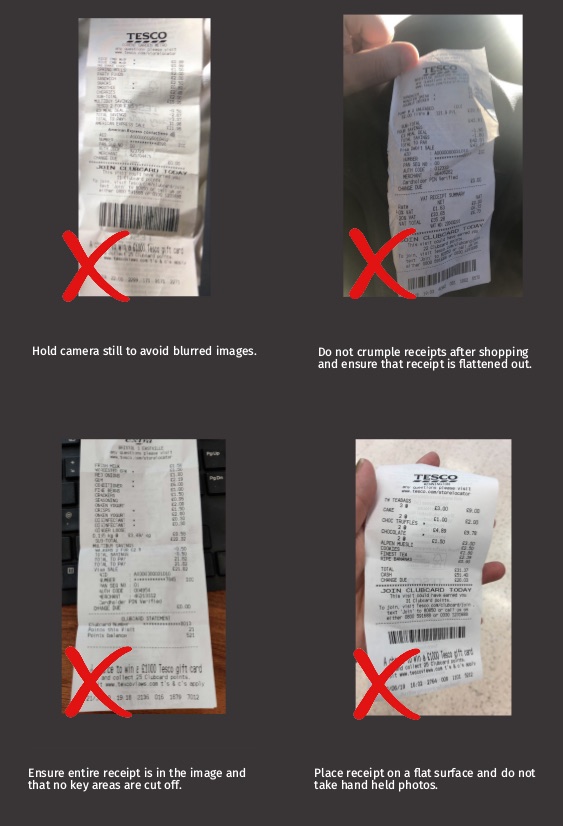
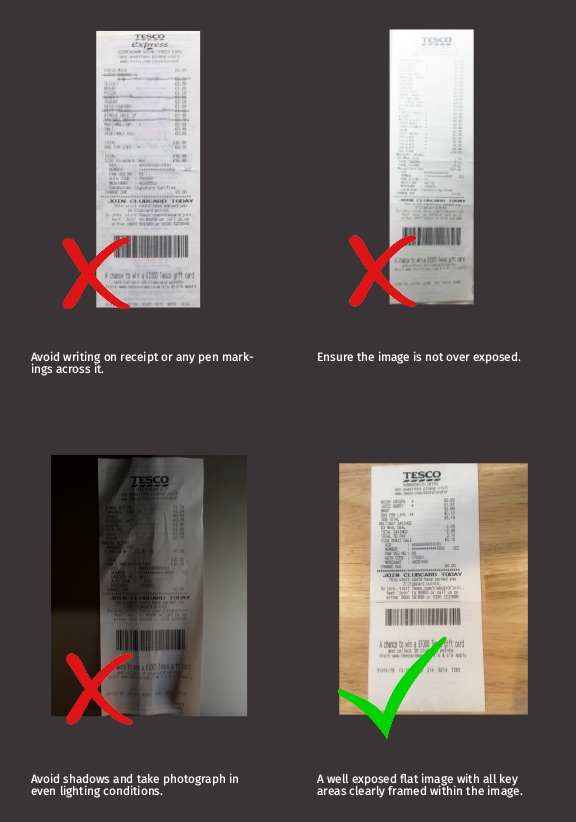
Limits and rate limits
- Formats
- JPEG and PNG. PDF is not currently supported.
- File size
- Up to 30 MB per image, 50 MB per request.
- Images per upload
- One, or up to three with multiple images enabled.
- Image size
- 720 by 1280 pixels or larger recommended.
- Processing time
- A few seconds with standard OCR, typically 10 to 20 seconds with a model.
- Credits
- One per accepted upload. Results, account, regions and custom fields are free. Rejected uploads are not charged.
- Rate limit
- 50 requests per second per IP address, with bursts of up to 200.
- Retention
- Uploads and results are deleted after your account's retention period (
dataRetentionDaysonGET /v2/account, normally 90 days).
Requests over the rate limit receive 429 Too Many Requests with a Retry-After header. Polling at the pace Retry-After sets keeps you far below the limit. If you need sustained higher throughput, contact support.
Security and data
- Transport. HTTPS only.
- At rest. Uploaded images and extracted results are encrypted at rest.
- Retention. Images and results are deleted at the end of your retention period. Persist anything you need in your own systems.
- Keys. Shown in the dashboard and revocable at any time. Multiple keys per account are supported. Keys are only accepted in headers, never in URLs, so they do not end up in proxy or server logs.
- Client side. Never call the API from a device you do not control. Proxy through your backend.
For data processing agreements, hosting location and deletion requests, contact [email protected].
Versioning
The major version is the first segment of every path: /v2/. Within a version, changes are additive: new endpoints, new optional fields, new result fields, new error codes and new models may appear at any time. Write clients that ignore unknown fields and handle unknown error codes by their HTTP status.
Removals, renames, type changes and behavioural changes only happen in a new major version, and the previous version keeps working for existing integrations. Changes are listed in the changelog.
The original API (/api/2/process and /api/result/{token}) remains available and is documented at docs.tabscanner.com.
AI agents and LLMs
Building an assistant or agent that reads receipts? The AI agents page has ready-made tool definitions, a reference implementation that hides the polling, the rules an agent should follow, and guidance on which fields to trust.
Machine-readable versions of this documentation:
- llms.txt: a short index for language models.
- llms-full.txt: this whole reference as one Markdown file.
- openapi.yaml / openapi.json: OpenAPI 3.1, generated from the API itself.
- result.schema.json: JSON Schema 2020-12 for the result object.
Support
Email [email protected] for technical questions, region requests, custom fields and anything not answered here. Include the requestId of a failing request, or the token of a problematic upload, and if you can, the image, so we can reproduce it.